In today’s mobile-first world, mobile email performance is more critical than ever. With over 60% of emails being opened on mobile devices, optimizing your email campaigns for mobile users is no longer optional—it’s essential.
One of the best ways to understand how subscribers interact with your emails on mobile is by using an Email heatmap. This powerful tool visually represents where recipients click, scroll, and engage within an email. By interpreting these insights correctly, you can enhance user experience, increase engagement, and ultimately improve conversions.
In this guide, we’ll explore how to interpret Email heatmaps effectively and use this data to refine your mobile email strategy. Plus, we’ll look at how Mailpro’s Email heatmap functionality can help you make data-driven improvements to your email campaigns.
What is an Email Heatmap?
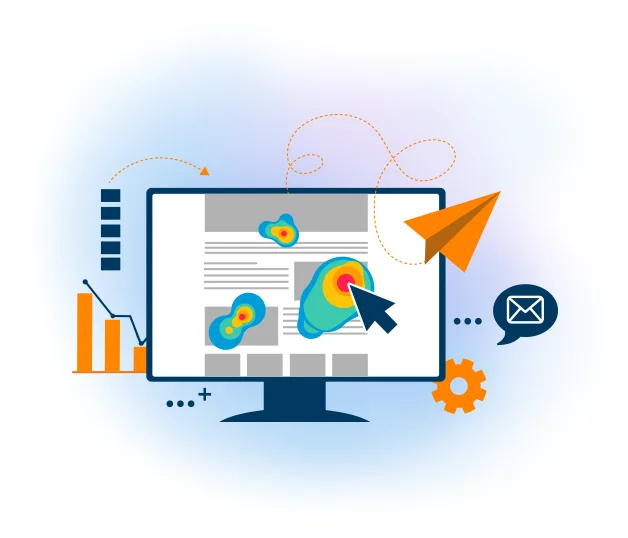
An Email heatmap is a visual analytics tool that shows you where recipients click, how they navigate, and what elements attract the most attention in your email campaigns. It helps marketers see what’s working and what’s being ignored, providing valuable insights into subscriber behavior.
Types of Email Heatmap Insights
- Click Heatmaps – Shows where users click the most (links, images, CTAs, etc.).
- Scroll Heatmaps – Displays how far users scroll before they stop reading.
- Attention Heatmaps – Highlights areas where users spend the most time in your email.
Mailpro’s Email heatmap functionality gives you a clear, visual representation of how your subscribers are interacting with your emails, so you can make data-driven improvements to your design, layout, and content strategy.
Why Mobile Email Optimization Matters
When subscribers open an email on their mobile devices, their experience is often different from that of desktop users. Here’s why mobile email optimization is crucial:
✅ Smaller screens change the way users interact – Clickable areas need to be larger and easily tappable.
✅ Users scroll differently – Unlike desktop users who navigate with a mouse, mobile users rely on swipes and taps.
✅ CTA placement is key – If the Call-to-Action (CTA) isn’t immediately visible, engagement rates drop.
✅ Email load times impact engagement – If an email loads slowly on mobile, users abandon it quickly.
By analyzing an Email heatmap, you can see exactly how mobile users engage with your email content and make improvements based on real behavioral data.
How to Interpret Email Heatmap Data for Mobile Optimization
1. Analyze Click Distribution on Mobile Devices
One of the most important insights from an Email heatmap is understanding where mobile users click.
🔍 Look for patterns:
- Are users clicking on your main CTA button?
- Are they tapping on images instead of text links?
- Are they ignoring certain sections of the email?
💡 How to Optimize Based on This Data:
✅ Make CTA buttons more prominent – If users are not clicking on your CTA, make it larger, change the color, or move it higher in the email.
✅ Reduce unnecessary links – Too many links can confuse mobile users. Focus on one or two main CTAs.
✅ Turn high-click areas into conversion points – If users click on an image instead of a CTA, make the image clickable.
With Mailpro’s Email heatmap functionality, you can easily visualize click distribution and adjust your design accordingly to maximize conversions.
2. Check How Far Mobile Users Scroll
A scroll heatmap shows how far readers scroll before losing interest. On mobile, users tend to skim content faster than on desktop, meaning key messages must be placed early in the email.
🔍 What to Look For:
- Are users stopping before reaching the CTA?
- Do they drop off before reaching key information?
💡 How to Optimize Based on This Data:
✅ Keep important content above the fold – Ensure CTA buttons and key messages appear within the first few screen scrolls.
✅ Shorten email length – If the majority of users aren’t scrolling far, remove unnecessary content and focus on concise messaging.
✅ Use engaging visual cues – Arrows, images, or animations can encourage users to keep scrolling.
Using Mailpro’s Email heatmap, you can easily identify where subscribers are losing interest and restructure your email to keep them engaged.
3. Identify High & Low Engagement Areas
An Email heatmap can reveal which sections of your email get the most and least attention.
🔍 What to Look For:
- Are header images distracting users from the CTA?
- Are users ignoring key information?
💡 How to Optimize Based on This Data:
✅ Reduce distractions – If a large banner image gets more clicks than the CTA, it may be overshadowing your main message.
✅ Use contrasting colors – Highlight important areas with color contrast to draw attention.
✅ Rearrange sections – Move high-value content to the most engaged areas.
How Mailpro’s Email Heatmap Functionality Helps Improve Mobile Performance
Mailpro offers built-in Email heatmap analytics, allowing you to:
✔️ Track where mobile users are clicking and identify high-engagement areas.
✔️ Analyze scroll depth to ensure important content is seen.
✔️ Test CTA effectiveness by comparing different placements and designs.
With these insights, you can continuously optimize your email campaigns and ensure that your emails are performing at their best on mobile devices.
Final Tips for Optimizing Mobile Email Performance
📌 Use single-column layouts – Makes content easier to read on small screens.
📌 Increase button size – Ensure CTAs are tappable with a thumb.
📌 Optimize images – Reduce file sizes for faster loading.
📌 Test on real mobile devices – Always preview how your email looks on different screen sizes.
By regularly analyzing Email heatmaps, you can fine-tune your mobile email strategy, reduce friction for users, and maximize engagement and conversions.
Conclusion
If you're not using Email heatmaps to optimize your mobile emails, you're missing out on valuable insights that could significantly improve engagement and conversions.
By leveraging Mailpro’s Email heatmap functionality, you can see exactly how subscribers interact with your emails, identify high-engagement areas, and make data-driven design changes to boost performance on mobile.
Ready to take your mobile email strategy to the next level? Start using Email heatmaps today and watch your engagement rates soar! 🚀
Related guides: why your newsletter looks different · email footer design · email builder layout recipes