
Every inbox signal, scored on one page.
Most senders don't know their emails are going to spam until customers stop replying. The Mailpro™ Intelligent Deliverability Center puts SPF, DKIM, DMARC, blacklists, complaints, engagement and sender reputation on a single page — scored 0 to 100, monitored continuously, explained in plain language.
One score, one page, every signal that matters
Your Deliverability Score runs from 0 to 100 and tells you exactly what to fix when something drifts — with a Global Score for your overall sending health, a score for every campaign and a score for every sending domain. Find it on your dashboard or under Analytics, Email, Deliverability Center. New to the concept? Start with our deliverability overview, the Deliverability Academy, or the launch announcement on the blog.
One Global Score, three weighted pillars
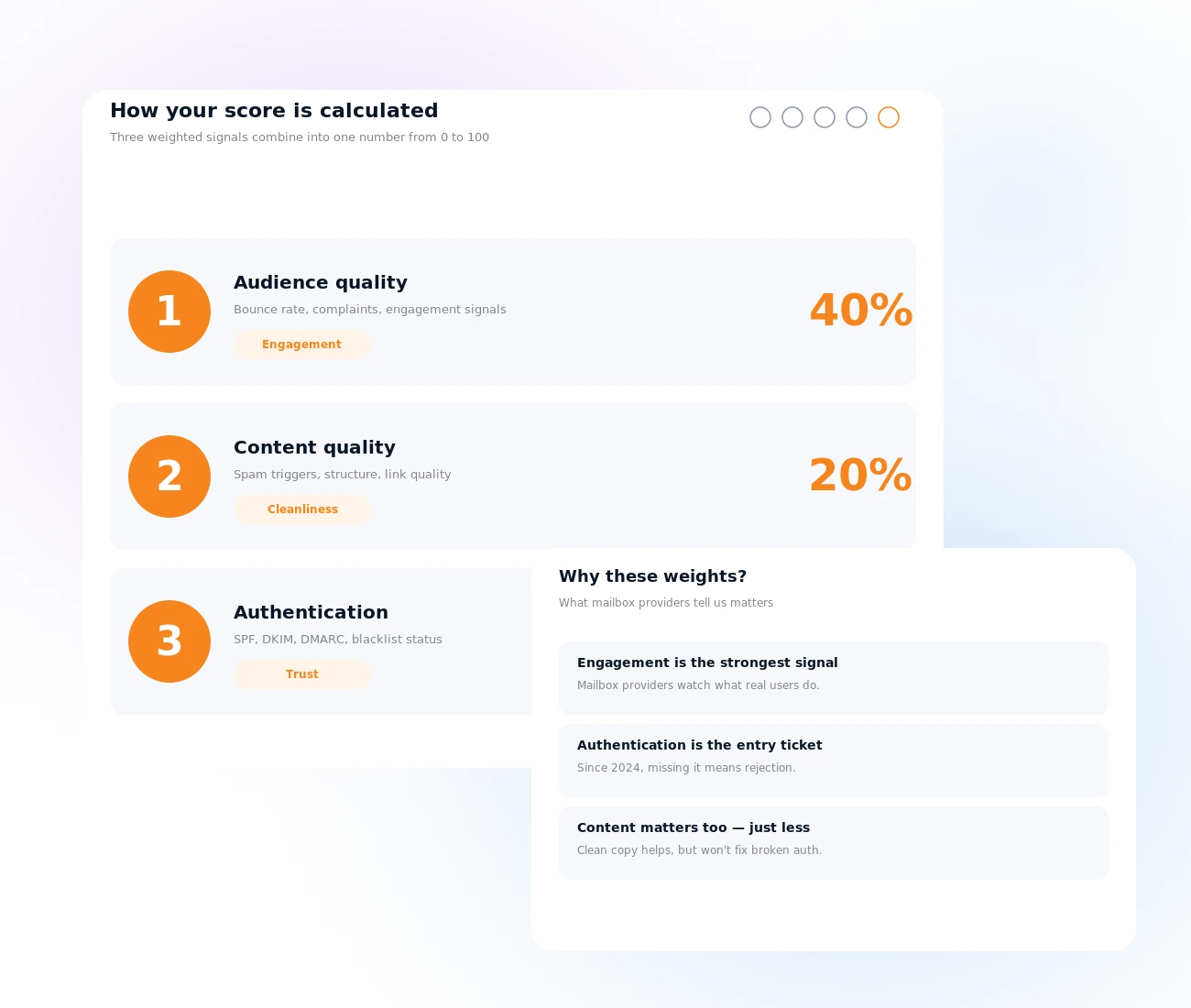
Your Global Score is a single number from 0 to 100, refreshed daily over a rolling 30, 60 or 90-day window, weighted the way mailbox providers weigh you: audience quality (40%) — your bounce rate, spam complaint rate and engagement; content quality (20%) — spam triggers, structure, link quality; and authentication (40%) — SPF, DKIM, DMARC and blacklist status. Anything above 80 is healthy; below 50, something specific needs attention.
How the score is calculated →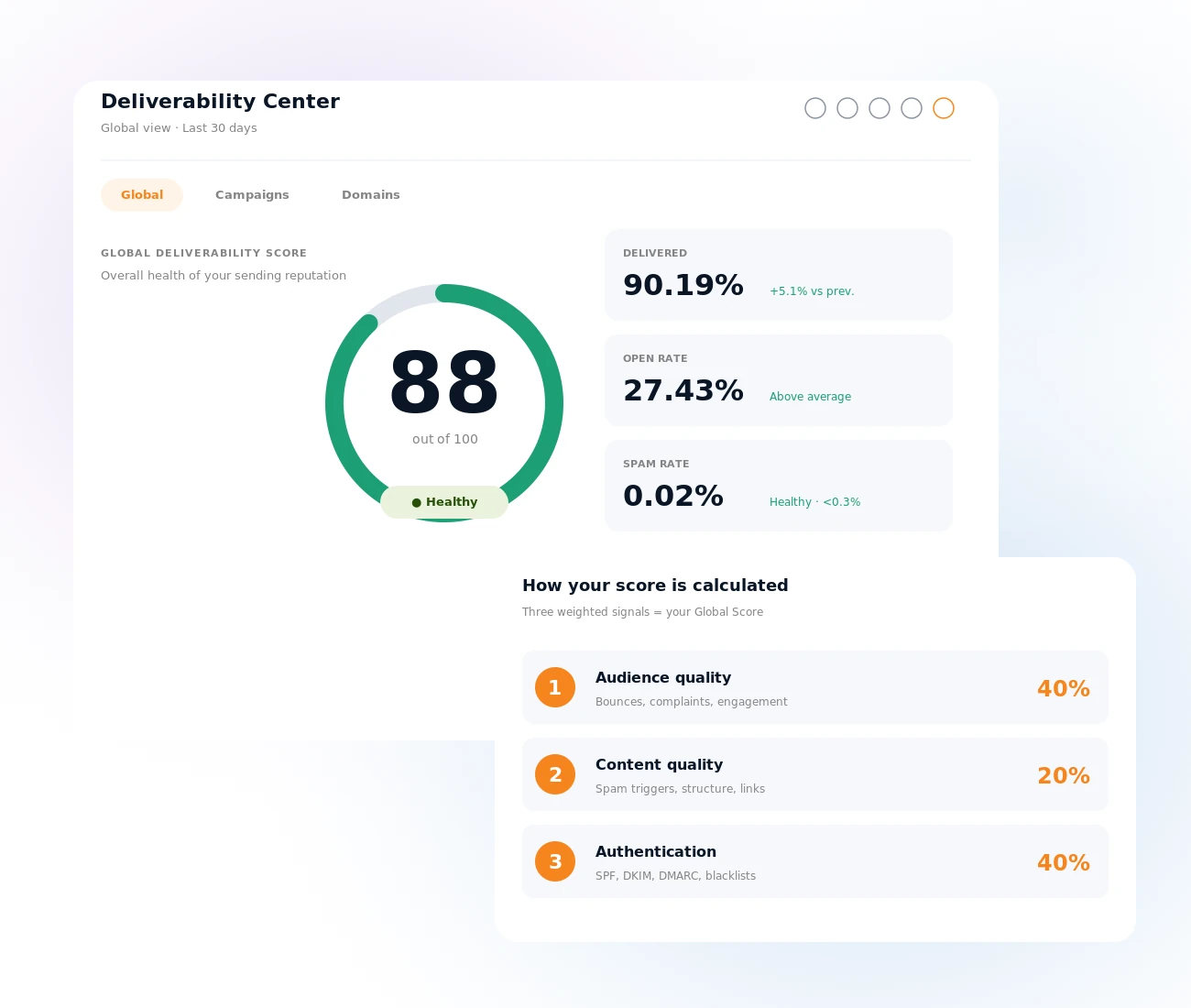
A score for every campaign
Each campaign gets its own score from delivery rate (40%), engagement (30%) and complaints (30%). Sort, filter and click into any campaign to see exactly why it scored what it scored — a campaign with high opens, low bounces and zero complaints might score 95; one with bad list hygiene might score 40. Either way, you see the cause directly and can repeat what works.
What to do if a campaign drops your score →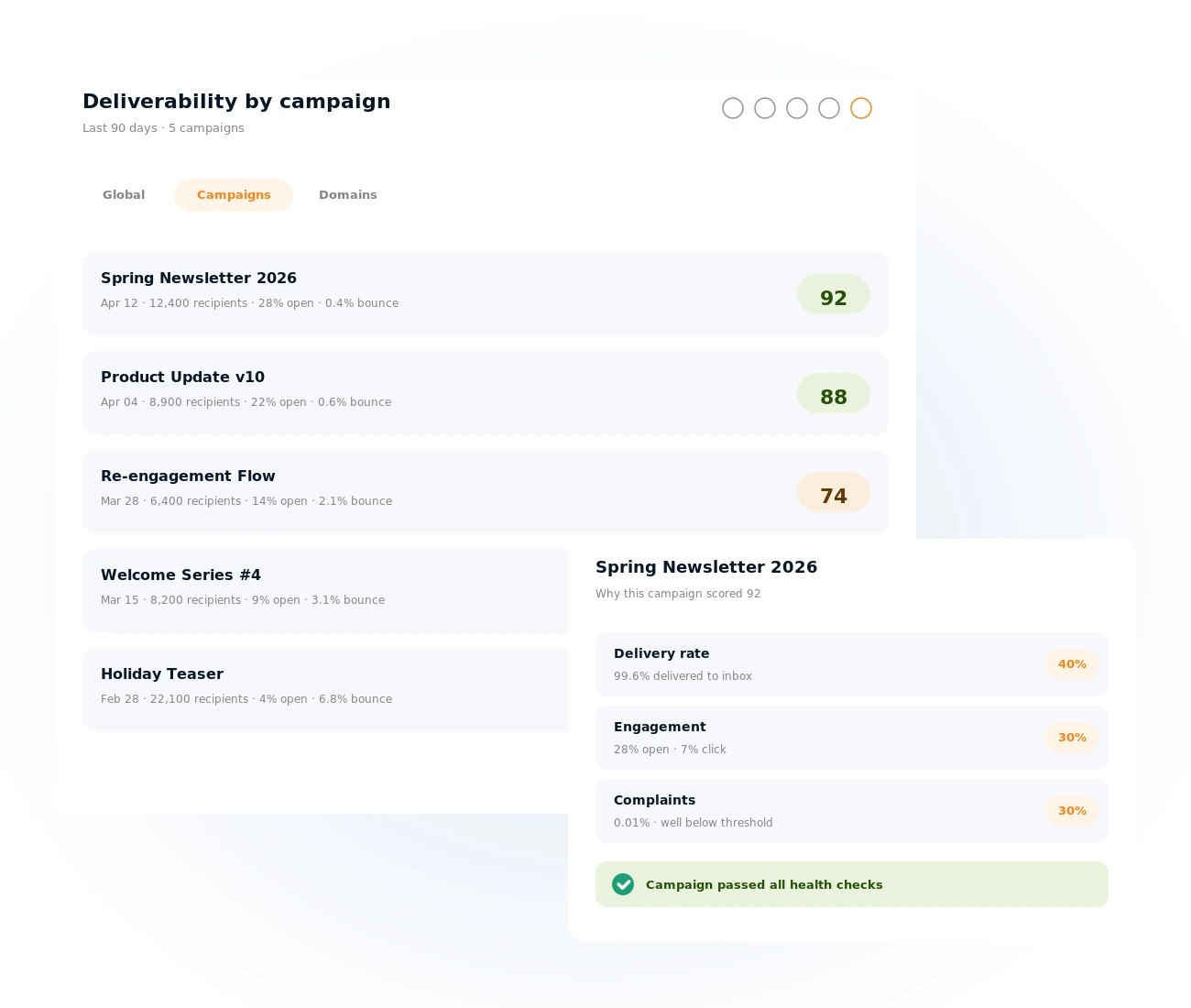
Per-domain monitoring
Each sending domain is scored independently on authentication (50%), delivery metrics (30%) and reputation (20%). You see MX records, SPF, DKIM, DMARC, blacklist status and the domain's age — all monitored continuously. If something breaks — a DNS record gets removed, a DKIM key expires, a blacklist hit shows up — it is on your dashboard before it costs you a campaign.
Email authentication overview →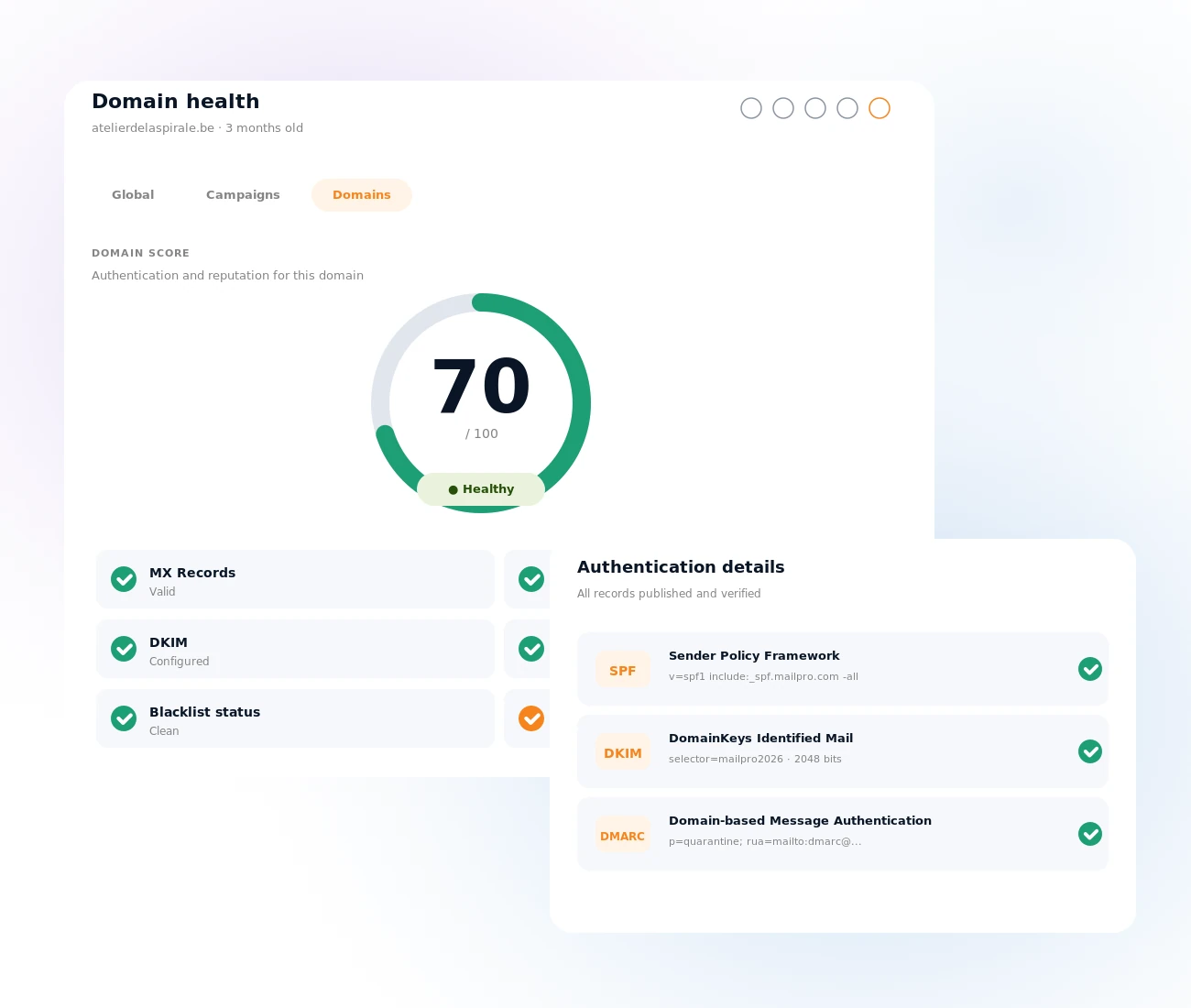
SPF, DKIM and DMARC, checked continuously
Gmail, Yahoo, Microsoft and Apple require all three authentication protocols before they trust your sending. The Center checks each one continuously and tells you exactly what to add, where to add it and when it is working. Configure SPF, DKIM and DMARC once, monitor them automatically forever.
What are SPF, DKIM and DMARC? →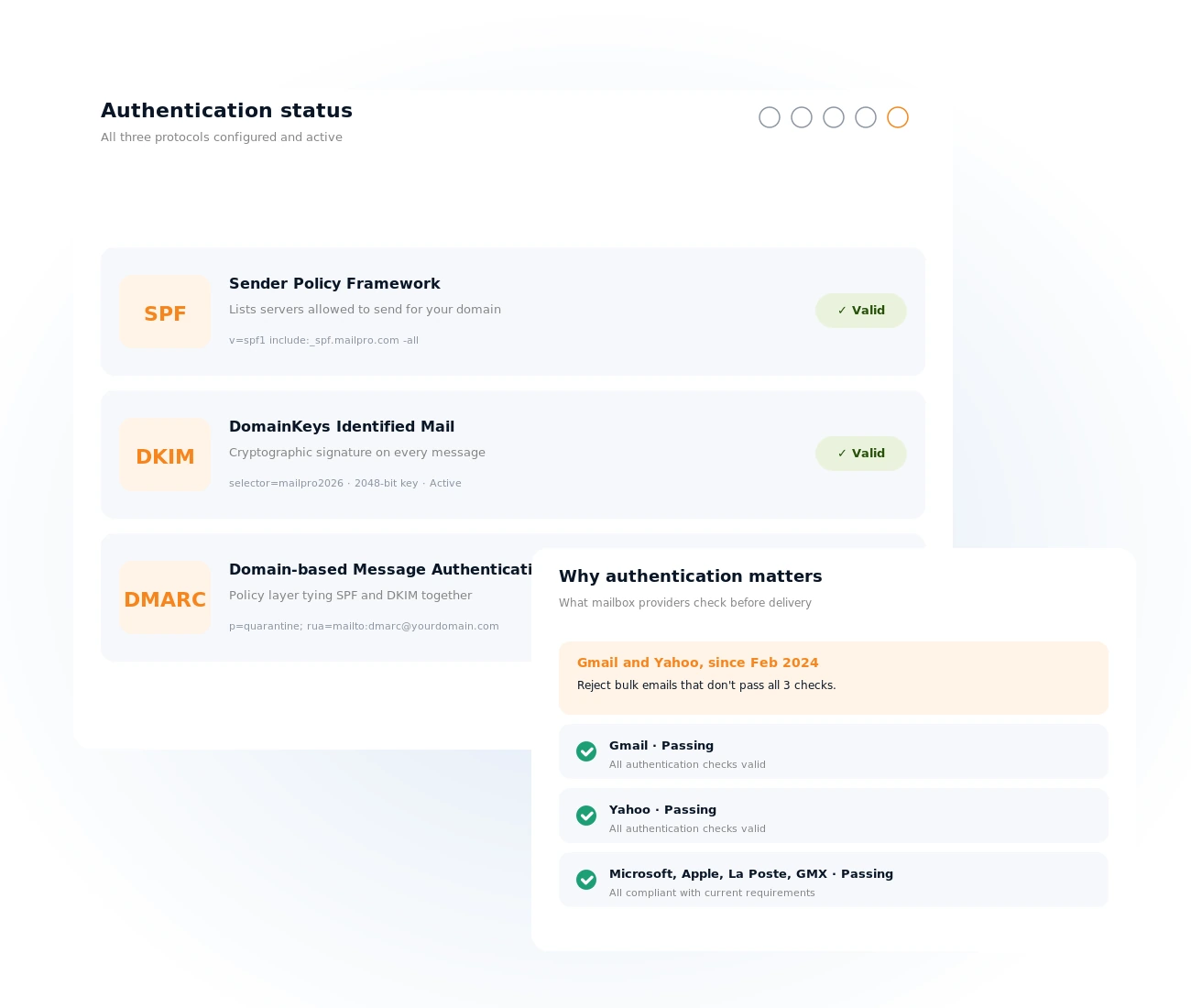
Blacklist monitoring in real time
Mailpro continuously monitors every major public blacklist for your sending domains and IPs. If you are ever listed, you see it immediately — which list flagged you, what likely triggered it, and how to request removal. No more cross-checking three third-party tools: the Center surfaces blacklist hits the moment they happen.
Read about email blacklists →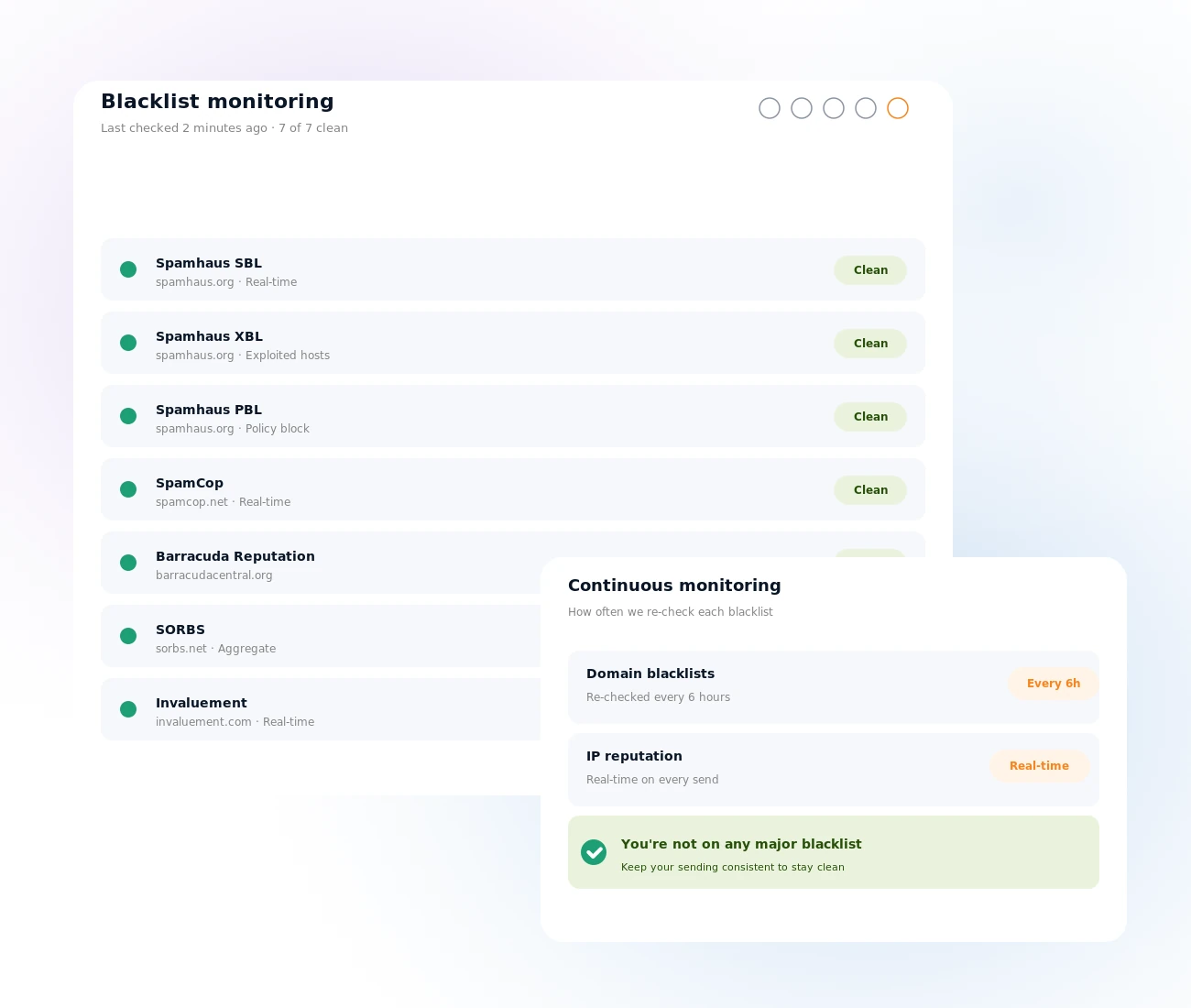
Actionable recommendations, not just numbers
The Center doesn't just measure — it tells you what to do. When your score drops, it shows which pillar is responsible, what changed and what to fix first. Most senders gain 15 to 25 points just by fixing authentication. Want the playbook for moving from Fair to Healthy? Read our guide to improving deliverability, or jump straight to the actions in the Center.
How to improve your score →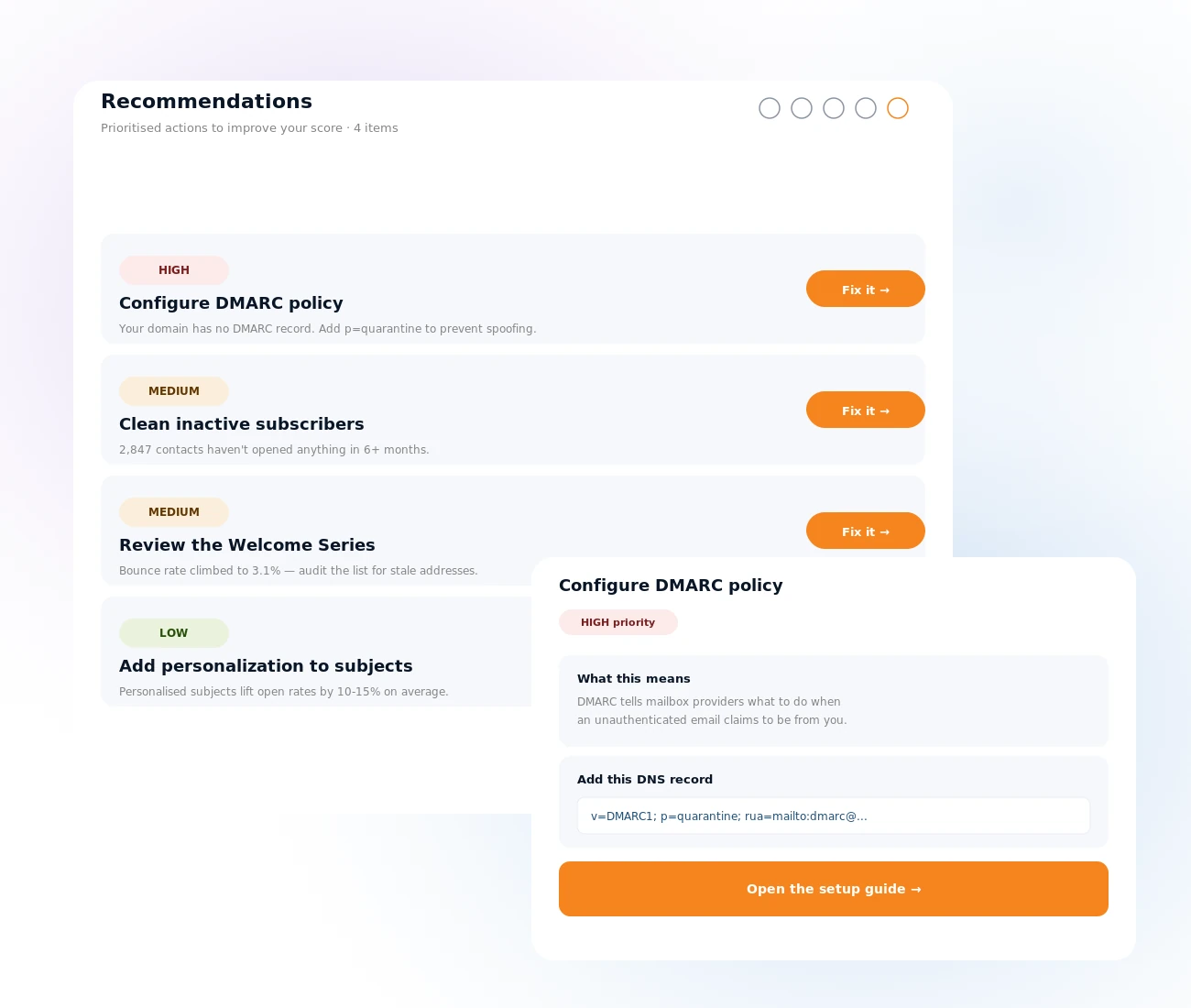
From score to fix in three steps
Open the Center
On your Mailpro dashboard, or under Analytics, Email, Deliverability Center — no setup, no extra cost.
Read your scores
Check the Global Score, then drill into the campaign and domain scores to see exactly which signal is drifting.
Apply the recommendations
Follow the plain-language guidance — fix authentication, clean your list, adjust content — and watch the score climb.
Frequently asked questions
What is the Intelligent Deliverability Center?
Where do I find the Deliverability Center in Mailpro?
I just signed up — why don't I see a score yet?
What counts as a good Deliverability Score?
How is the Global Score calculated?
See your Deliverability Score today
Create your account and get every inbox signal — authentication, blacklists, reputation — scored and explained on one page.