Product Launch Email Templates
Adapt for Unlimited Possibilities
Product Launch
Product Launch
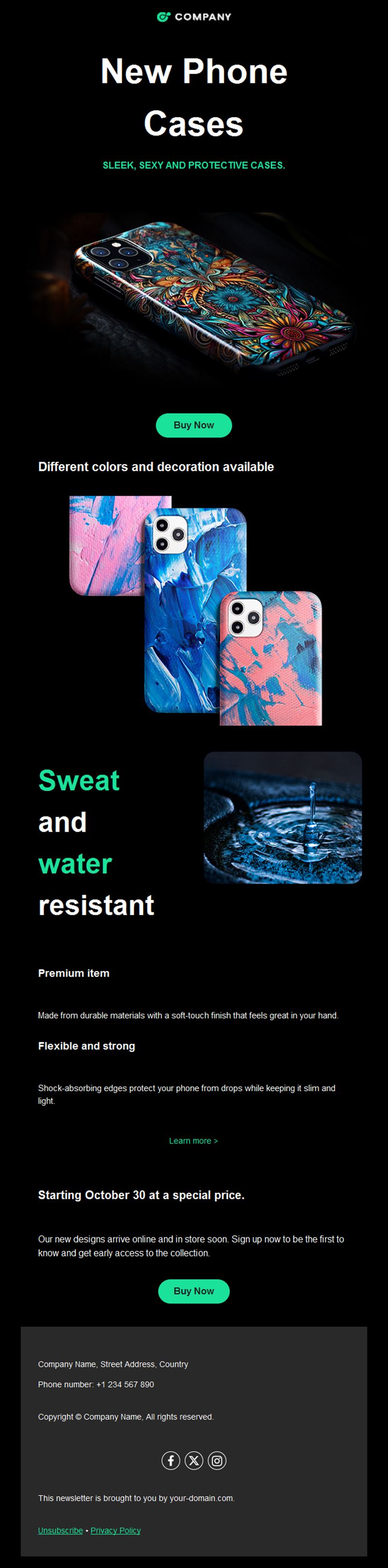
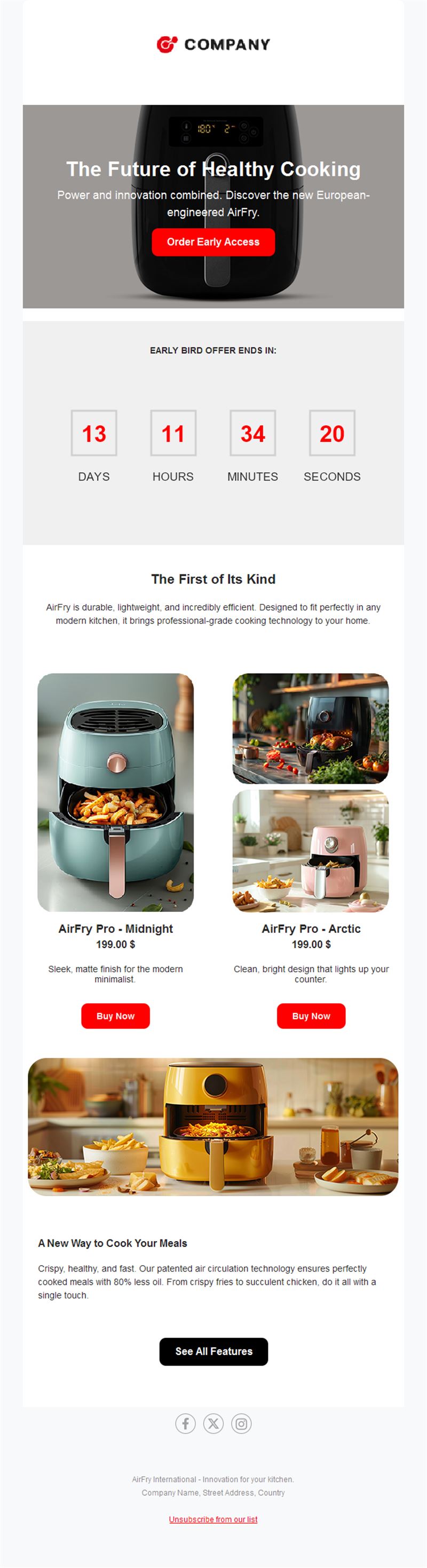
Months of work deserve more than a quiet release. Pick a ready-made product launch email template, customize it in minutes, and send with Mailpro™.
Why use Product Launch email templates?
A product launch is an email sequence, not a single message: tease it, reveal it, prove it, and convert. These templates cover each step so your launch lands with the audience you already own.
- Sequence-ready: teaser, announcement, social proof, and last-call layouts that work together.
- Product-first design: big visuals, feature highlights, and a single strong CTA.
- Works for anything: physical products, software releases, new services, menu items, or collections.
- Owned-audience advantage: your list converts far better than cold channels on launch day.
The emails of a great launch
1) Teaser
A glimpse, a date, and a “be the first to know” signup — anticipation does the selling.
2) Launch announcement
The reveal: hero visual, three key benefits, and the buy button.
3) Feature deep-dive
Show the product in action — use cases, demos, and details for the undecided.
4) Social proof
First reviews, press mentions, and customer photos to remove doubt.
5) Launch-offer last call
Close the intro pricing or launch bundle with a countdown.
What's inside each template?
- Hero section with product visual and announcement headline.
- Feature block with three benefit highlights.
- Social-proof section for reviews and press.
- Countdown zone for launch offers.
- Social links and an easy unsubscribe footer.
How to customize your Product Launch email in Mailpro™
- Pick a template: Open Templates and choose a Product Launch design.
- Edit copy & images: Add product shots and your three strongest benefits; keep copy tight.
- Add a countdown (optional): Count down to launch day or the end of intro pricing. See how the countdown works.
- Segment your audience: Warm your most engaged subscribers first — they create day-one momentum. Learn segmentation.
- Schedule the send: Tease ~1 week out, announce on launch day, last-call before the offer ends. Schedule email campaigns.
- Track results: Monitor opens, clicks, and conversions. View email statistics.
- Automate follow-ups: Auto-deliver a welcome-to-the-product email to every first buyer. Set up autoresponders.
Subject line & CTA ideas
Subject lines
- Something new is coming on Tuesday
- It’s here: meet [Product] 🚀
- See it in action (60-second tour)
- “Best purchase this year” — first reviews are in
- Launch pricing ends at midnight
CTA ideas
- Be the First to Know
- Discover the New [Product]
- Watch the Demo
- Get Launch Pricing
Best practices for Product Launch campaigns
- Sequence beats single send: 3–5 emails over two weeks outperform one announcement.
- Benefits, not specs: lead with what changes for the customer.
- Reward your list: early access or intro pricing makes subscribers feel like insiders.
- Show, don’t tell: a demo video or in-action photo beats a feature list.
- Close the window: an explicit end to launch pricing creates the second sales spike.
FAQ: Product Launch email templates
How many emails should a launch have?
Three to five: teaser, announcement, proof or deep-dive, and a last-call. Spread them over one to two weeks.
When should the teaser go out?
About a week before launch — enough to build anticipation without losing attention.
What makes a launch email convert?
One product, one hero image, three benefits, one button. Every extra element costs clicks.
How do I measure launch success?
Track opens, clicks, and revenue per email in Mailpro statistics to see which step of the sequence drives sales.
Get started
Give your next release the audience it deserves: pick a product launch email template and start the countdown.